



From Insight to Action
How to Turn Microsoft Teams Performance Data Into Operational Outcomes
Most collaboration tools stop at visibility.
They tell you what happened.
But when Microsoft Teams performance issues hit the business, visibility alone doesn’t solve the problem — action does.
The difference between “we saw the issue” and “we fixed it” usually comes down to one thing:
Can your collaboration performance data live inside the tools your teams already use?
That’s where real value begins.
Microsoft Teams now has 320 million monthly active users, and 91% of Fortune 100 companies rely on it. Teams isn’t just a meeting app anymore — it’s business-critical infrastructure.
And yet, most organizations still treat Teams performance as a support problem rather than a service reliability problem.
That disconnect is costing enterprises more than they realize.
The Cost of Collaboration Performance Degradation
The financial impact of IT service disruptions has reached unprecedented levels.
Global 2000 companies now lose an estimated $400 billion annually due to unplanned downtime. For large enterprises, unplanned outages cost an average of $23,750 per minute. For midsize organizations, it’s still $14,056 per minute.
When Microsoft Teams degrades, the impact is immediate:
-
User productivity loss: 49% of employees lose between 1–5 hours per week dealing with IT issues
-
Meeting friction: 72% of workers lose time due to technical issues in video meetings
-
Business ripple effects: failed executive communications, broken customer conversations, and reduced trust in IT
The average incident now takes 175 minutes (nearly 3 hours) to resolve at an estimated cost of $4,537 per minute — meaning a single incident can cost close to $800,000.
The fix is not just visibility.
It’s integration.
Most Collaboration Tools Stop at Visibility
Here’s what many IT teams experience today:
-
Users report: “Teams is broken”
-
The IT team scrambles to reproduce the issue
-
Data is scattered across multiple dashboards
-
Troubleshooting becomes a manual investigation
-
The business waits
Even when a tool provides useful visibility, it often becomes another place to check — rather than something that fits naturally into existing workflows.
And the cost of manual response is real:
Organizations relying on five or more manual processes in incident response incur significantly higher annual outage costs than organizations with fully automated response workflows.
When workflows don’t change, outcomes don’t change.
What “From Insight to Action” Actually Means
In practice, moving from insight to action means:
Instead of…
-
Manually exporting reports
-
Chasing down symptoms
-
Jumping between dashboards
-
Reacting after users complain
You can…
-
Stream high-fidelity collaboration data into existing systems
-
Trigger workflows automatically
-
Route issues to the right teams instantly
-
Improve service reliability over time
This is what operational outcomes look like.
Why Workflow Automation Reduces MTTR
Mean Time to Resolution (MTTR) is the metric that separates reactive IT organizations from proactive ones.
And the data is clear:
Workflow automation dramatically accelerates incident resolution.
Observability leaders are significantly more likely to measure MTTR in minutes or hours (rather than days or weeks), and they detect issues substantially faster than less mature organizations.
Service management benchmarks show similar results: knowledge-enabled workflows can close cases over 50% faster and reduce escalations by over 80%.
This isn’t just efficiency.
It’s service reliability at scale.
The Real Value Isn’t Another Dashboard
Dashboards are useful.
But they’re not where IT work happens.
Most operational teams already run on systems like:
-
Splunk (observability + correlation)
-
ServiceNow (incident, problem, change workflows)
-
Nobl9 (SLOs, reliability engineering, service ownership)
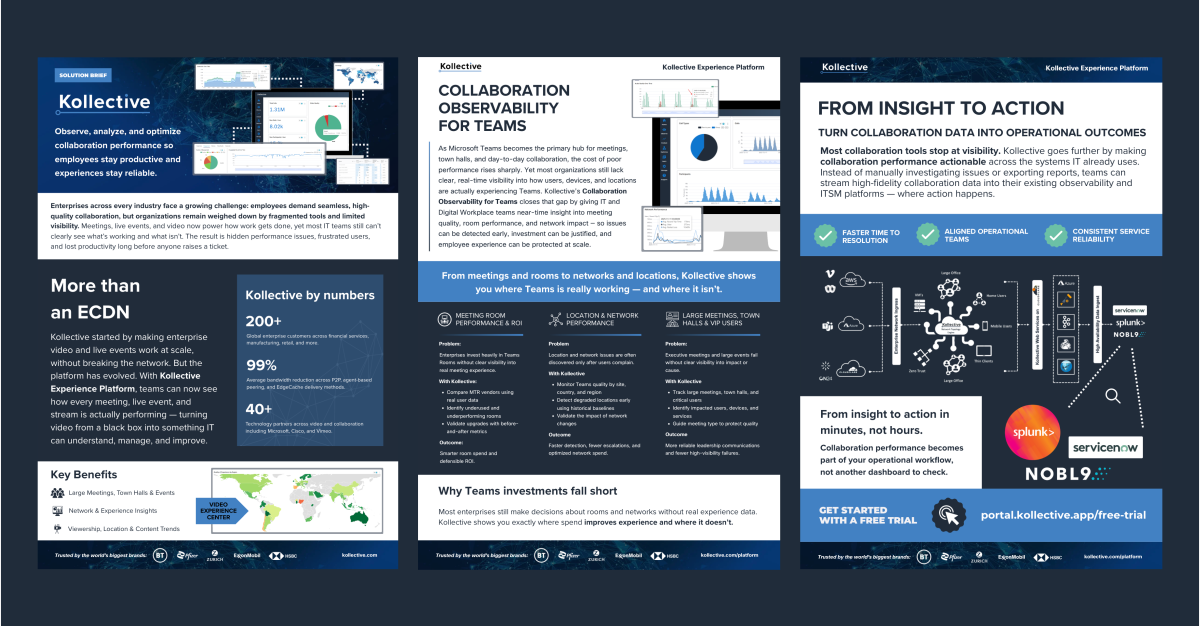
That’s why the Kollective Experience Platform is built to take collaboration performance beyond “monitoring” — and make it actionable inside the platforms that already drive operations.
While you’re here:
download the latest solution brief for a concise summary of the Kollective Experience Platform and its workflow integrations.

Why Collaboration Data Must Live Inside Splunk, ServiceNow, and Reliability Tools
Microsoft Teams is now business-critical infrastructure.
It isn’t “just meetings.”
It powers:
-
Internal operations
-
Customer calls
-
Global town halls
-
Leadership communications
-
Training and HR events
-
Daily collaboration across distributed teams
So when Teams performance degrades, the impact is immediate:
-
User frustration
-
Productivity loss
-
Broken customer conversations
-
IT credibility damage
And yet, Teams performance is still treated as a black box in many enterprises.
Kollective Makes Collaboration Performance Actionable
Kollective goes beyond surface-level metrics by turning collaboration performance into operational intelligence that can be used across:
-
Observability platforms
-
ITSM workflows
-
SRE / reliability programs
-
Service ownership teams
Instead of asking teams to adopt a new workflow, Kollective makes existing workflows smarter.
The Three Outcomes IT Teams Actually Care About
1) Faster Time to Resolution
When collaboration performance issues occur, time matters.
With downtime costing up to $23,750 per minute for large enterprises, every minute saved translates to real cost avoidance.
With Kollective, IT teams can:
-
Identify impacted locations, networks, or user groups
-
Understand whether it’s a network limitation or content issue
-
Correlate collaboration data with other signals inside Splunk
The result: faster triage, faster resolution, fewer escalations.
2) Aligned Operational Teams
Collaboration performance touches multiple teams:
-
Network operations
-
End-user computing
-
Service desk
-
Security
-
Cloud infrastructure
-
Collaboration admins
Without a shared operational view, issues become political:
-
“It’s the network”
-
“It’s Microsoft”
-
“It’s the device”
-
“It’s the user’s Wi-Fi”
Kollective provides collaboration performance data that can be shared across teams — and routed directly into systems like ServiceNow, so ownership is clear.
The result: less finger-pointing, more coordinated response.
3) Consistent Service Reliability
Most Teams issues don’t happen once.
They repeat:
-
Same office
-
Same ISP
-
Same network configuration
-
Same meeting types
-
Same time windows
Kollective helps teams move beyond firefighting by enabling reliability practices such as:
-
Baseline performance trends
-
Recurring issue identification
-
SLO-style monitoring with tools like Nobl9
-
Continuous improvement over time
The result: higher reliability and fewer incidents.
The Digital Employee Experience (DEX) Imperative
The rise of Digital Employee Experience (DEX) as a strategic priority is another reason collaboration performance is now under the spotlight.
By 2026, half of digital workplace leaders are expected to have established a DEX strategy and tool — and the overwhelming majority of IT professionals say strong DEX has a positive impact on employee productivity.
Teams performance is at the heart of DEX.
When employees experience technical interruptions regularly — especially in meetings — the cumulative impact on productivity, satisfaction, and retention becomes significant.
What Makes Kollective Different
Kollective is not just another monitoring tool.
The Kollective Experience Platform is designed to unify collaboration performance with:
-
Digital Employee Experience (DEX)
-
Observability
-
ITSM
So instead of collaboration being a separate system, it becomes part of operational reality.
Example Use Cases:
Where “Insight to Action” Shows Up Fast
Use Case 1: A Town Hall Fails for One Region
Kollective helps pinpoint:
-
Which locations were impacted
-
What the root cause likely was
-
How to prevent it next time
Then that data can be:
-
Correlated in Splunk
-
Tracked as a problem record in ServiceNow
-
Included in reliability reporting
Use Case 2: Persistent Meeting Complaints From One Office
Instead of guessing, teams can:
-
Drill into location-based performance
-
Separate network limitations vs content issues
-
Prove what’s happening with high-fidelity data
Use Case 3: Service Ownership for Teams Becomes Measurable
Teams admins and IT leadership can:
-
Track Teams performance like a real service
-
Set targets aligned with SLO practices
-
Measure improvement over time
From Insight to Action in Minutes, Not Hours
The biggest shift IT teams experience is this:
Collaboration performance becomes part of your operational workflow, not another dashboard to check.
That means:
-
Less manual investigation
-
Faster response
-
Better reliability
-
Happier users
Want to See What This Looks Like in Practice?
If you want to see how Kollective turns Teams performance into operational outcomes — including how the data flows into tools like Splunk, ServiceNow, and Nobl9 — contact us to book a demo.
FAQ:
Microsoft Teams Observability and Operational Workflows
What is Microsoft Teams observability?
Microsoft Teams observability is the ability to measure and understand how Teams meetings, events, and collaboration experiences are performing — with enough fidelity to troubleshoot issues and improve reliability.
Why is Teams monitoring not enough?
Monitoring often stops at surface-level metrics. Observability and workflow automation go further by enabling root cause investigation and operational action across the systems IT already uses.
How does ServiceNow help with Teams performance?
ServiceNow helps IT teams operationalize collaboration performance by enabling incident, problem, and workflow automation — ensuring issues are routed, tracked, and resolved consistently.
Can Splunk be used for Teams performance monitoring?
Yes. When Teams performance data is available in Splunk, teams can correlate it with network, cloud, and endpoint signals to accelerate troubleshooting and reduce MTTR.
How does Kollective improve Teams service reliability?
Kollective provides high-fidelity collaboration performance data and makes it actionable inside ITSM and observability platforms, helping teams improve response time and reduce recurring issues.